Creating a Delta FAIR
1. Open up the Parent FAIR and click on "Copy FAIR" in the upper left corner.
2. Click on USE CURRENT COMPANY if you are creating the Delta in the same Net-Inspect company account. You only need to fill in the credentials if you are creating a copy or Delta in a different Net-Inspect account.
3. Select the option to copy the FAIR as a DELTA and ensure customer selection is correct.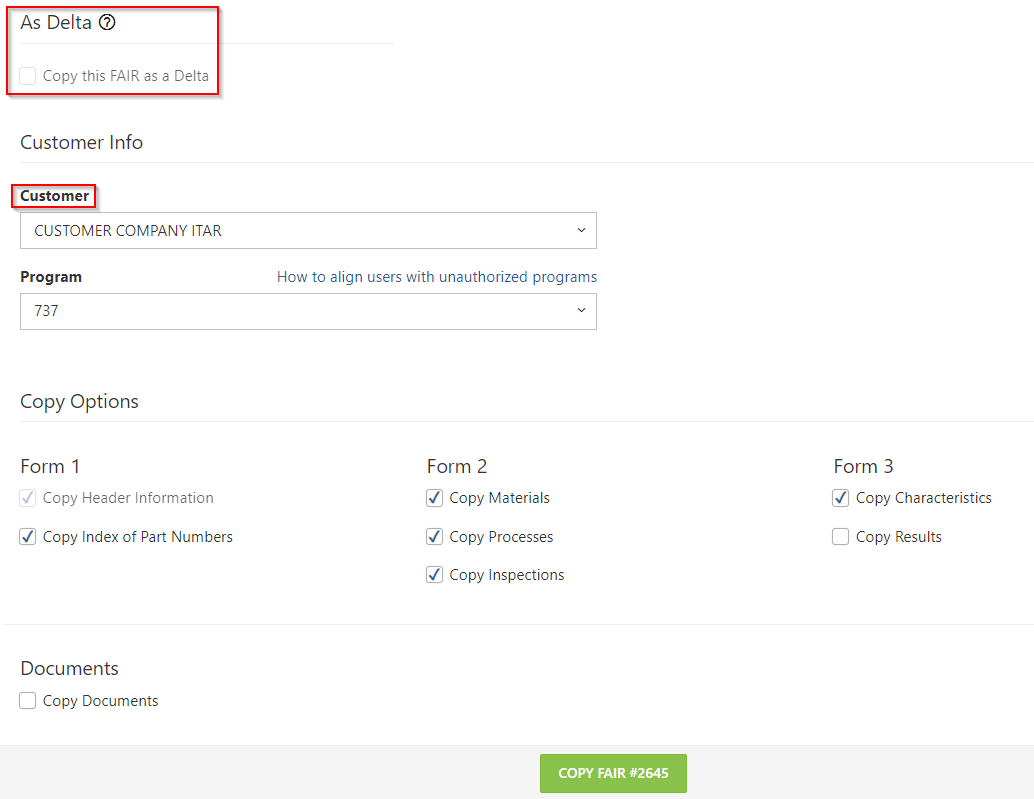
4. Click on COPY FAIR
Both parent and Delta FAIR will receive a new button at the top, "DELTAS," with a link to either the Parent or Child FAIR in the dropdown.
The FAIR list page also contains a triangle icon next to the Delta FAIRs: